
Use cases
Find the workflow your team needs.
Browse practical examples by the work you handle: group reporting, sales enquiries, customer service, contact protection and calls. Each path explains the setup, ownership and day-to-day operation.
WhatsApp group operations

Keep customer, dealer, supplier and field-team groups accountable. Define who should answer, how quickly, and which messages need a supervisor. Review first response, unresolved work and recurring exceptions together.
A branch manager reviews the unanswered customer requests from yesterday, assigns the next action and follows the original thread through to resolution.
Monitor groups and response times
Select the groups, configure response targets and give managers a view of overdue work.
Run group operations at scale
Combine ownership, monitoring, reports and exception review across client and operations groups.
Daily progress reports
Organize recurring updates so supervisors review the work and exceptions together.
Polls and structured responses
Collect a consistent answer when a team needs confirmation or a choice.
Sales and enquiry follow-up

Turn an enquiry into a customer record, an owner and a next action. Keep qualification answers, calls and campaign replies available to the person handling the sale.
An Instagram enquiry moves to a sales queue. The agent sees the customer requirements, follows up in the agreed channel and records the next step.
WhatsApp CRM and lead management
Capture intent, route enquiries, track follow-up and give sales teams shared context.
Instagram and WhatsApp enquiries
Bring social enquiries into the same team workflow instead of separate personal inboxes.
Campaign reply tracking
Connect delivery, reads and replies with the owner who handles the next action.
Customer service and multi-branch teams

Keep customer conversations, documents, case status and handovers accessible across shifts and locations. Use a shared inbox for channel work and Customer Rooms for a continuing relationship.
A service adviser hands over a repair enquiry with its conversation and documents intact. The customer returns to the same room for the next update.
Shared team inbox
Assignments, internal notes, saved replies and status for customer-facing teams.
Customer Rooms
Private branded spaces for messages, files, status and the customer’s next action.
Automotive service
Organize service conversations and customer updates around the vehicle relationship.
Hospitality guest operations
Keep pre-arrival questions, guest requests and team follow-through together.
Multi-branch operations
Give each branch its working queue while managers review the whole operation.
Contact protection and calling
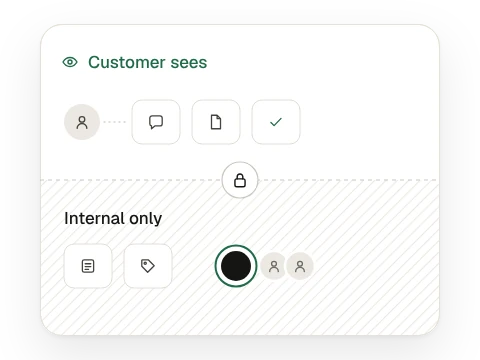
Give people the access and communication tools their role needs. Keep customer contact details controlled and call context attached to the conversation.
Contact name and number masking
Restrict contact visibility while staff work in the shared inbox.
Number masking workflow
See how a team handles customer replies with controlled contact access.
Calls and WhatsApp CRM
Connect calling and customer follow-up in one working context.
Enterprise WhatsApp Calling
Evaluate the official calling channel, routing and customer workflow.
Give every enquiry a next step.
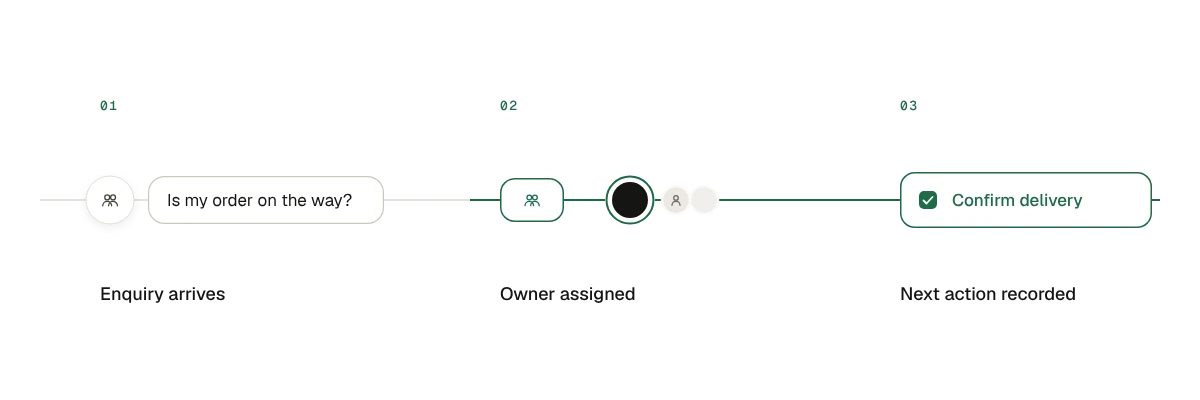
- Customer asks.
- A team member owns the conversation.
- The next action is recorded.
Bring the conversations, teams and rules you work with. See how Bow Chat turns them into a clear daily workflow.
Book demo