
AI conversation insights
What are your customer chats telling you?
A quick reply does not always mean a happy customer. See which WhatsApp group conversations deserve a closer look, what keeps coming up and how the team responds.
Currently in the Boni-only pilot. Ask for a demonstration to explore the workflow for your team.
Overview
Start with the customer, not just the reply time.
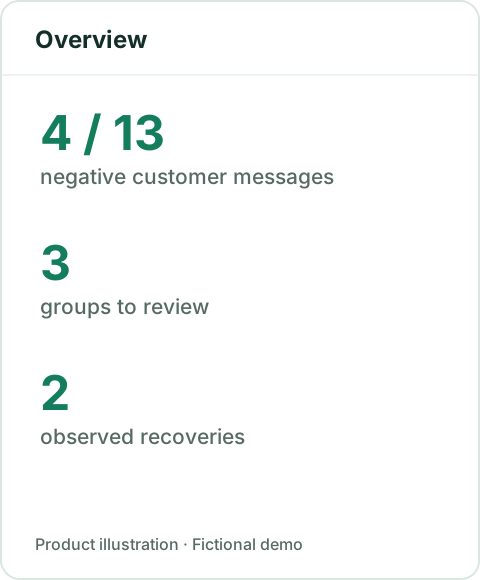
Read the manager briefing, negative customer messages, groups to review and observed recoveries. Customer and staff sentiment are kept separate; helpful staff replies should not hide a frustrated customer.
In the fictional demo, 4 of 13 customer messages are negative, 3 groups have signals to review and 2 recoveries are observed.
Before acting: Check the selected period, analysed messages and missing or unknown classifications before interpreting the totals.
Customer signals
See the concern. Read the original context.
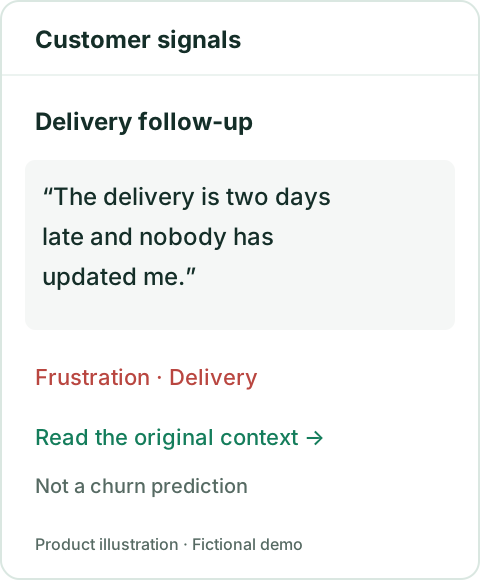
Find conversations with frustration, escalation or cancellation signals. Use the source references to review what the customer actually said before choosing a next action.
A fictional customer says a delivery is two days late and nobody has provided an update. The signal points a manager back to that conversation.
Before acting: These are signals for review, not churn probabilities or automatic decisions. A manager still needs the full context.
Topics & trends
Find what keeps coming up.
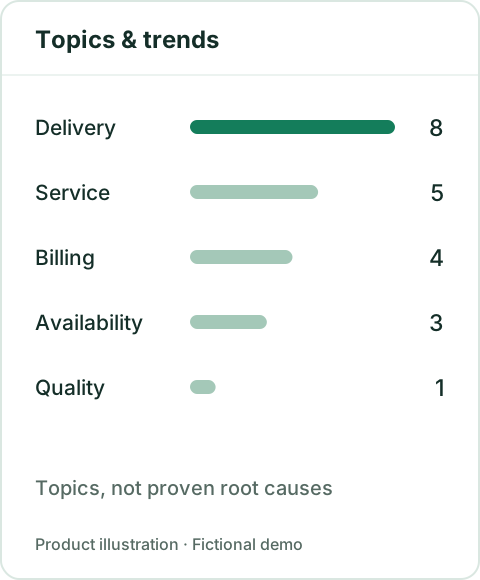
Review recurring subjects such as delivery, service, billing, availability and quality. Use the daily sentiment breakdown to compare equivalent periods and coverage.
Delivery is the most frequent classified subject in the fictional demo. It is a place to investigate, not proof of what caused a delay.
Before acting: One day is not a trend. Changes in message volume, group selection, participant roles and coverage can change the result.
Team conversations
Coach from the conversation.
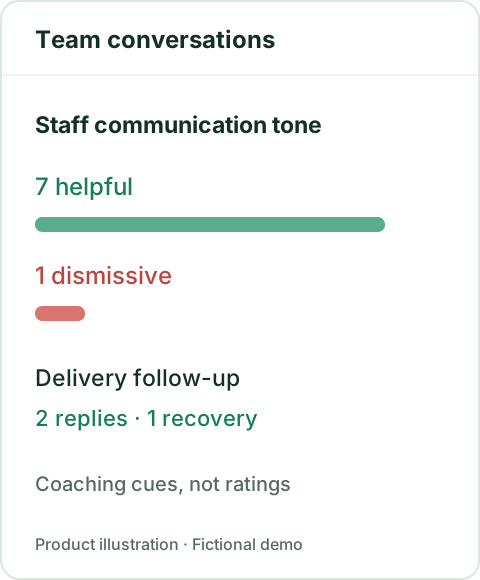
Review helpful, dismissive, neutral and unknown staff communication tone alongside observed replies and recoveries. Open the source examples to understand the exchange.
The fictional delivery follow-up has 2 observed replies and 1 observed recovery. That is an observation within the selected window, not a promise that the underlying issue is closed.
Before acting: Use these as coaching cues, not employee ratings, a measure of effort or a basis for automated disciplinary action.
A short review, with the sources close by.
- 01In the enabled workspace, open Groups Monitoring → SLA reports → AI insights.
- 02Try demo for fictional data, or choose a group and date range and explicitly select Analyse group.
- 03Read the four views, check coverage and return to the source conversation before taking action.
- 04Download report for the current report, and handle the export with the same care as the conversation.
Analysis is on demand. Opening a report does not start another analysis or send a customer message. Inferred sentiment is not NPS or CSAT. This add-on does not replace response-time and resolution SLA reporting.
Read the setup, coverage and interpretation guide →See the review workflow.
Bring the groups you manage, the concerns you look for and the decisions your managers need to make. We can walk through a fictional example before discussing availability for your team.